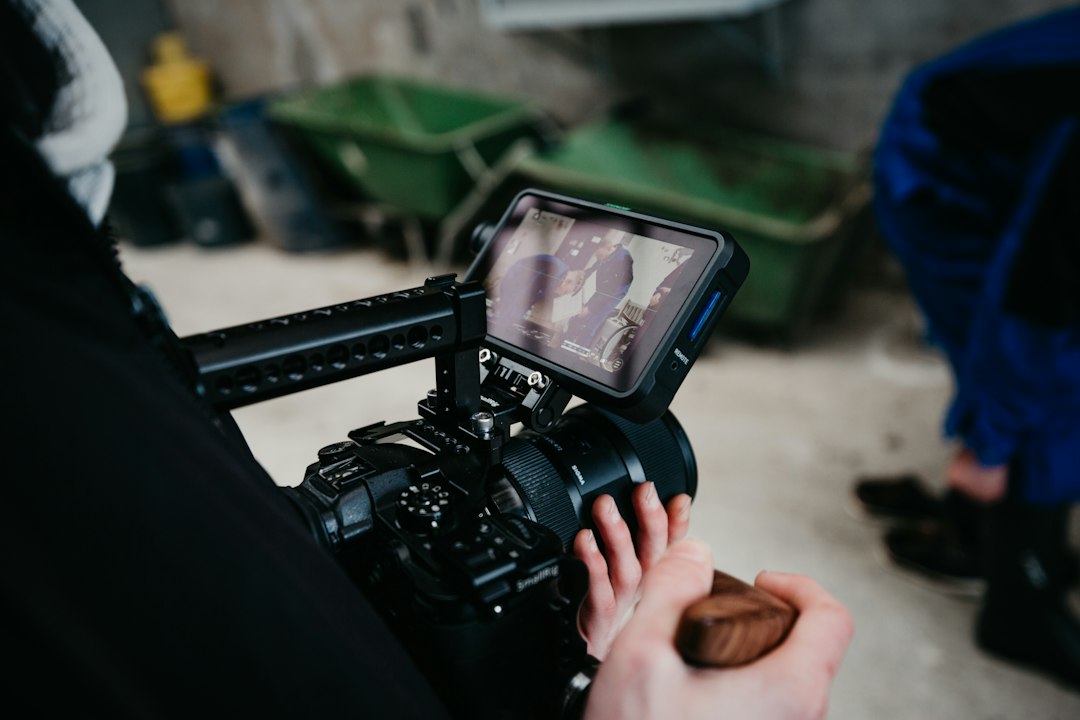

A clean phone shot beats a blurry DSLR clip every time, because viewers on Reels, TikTok and Shorts are judging in the first second. The good news: the phone in your pocket can already produce footage that looks professional once you fix a handful of settings and habits.
This guide walks through filming short videos on a phone from a small-business perspective: what to buy, what to switch on, where to stand, and how to shoot in a way that makes editing faster later. No studio required.
Key takeaways
- Lock your phone to 1080p at 30fps for most social clips, and only move to 4K when you plan to crop or zoom.
- Light matters more than the camera: one window or one soft lamp will transform your footage.
- Record audio with a cheap lav mic or your phone held closer than you think.
- Shoot vertical 9:16 by default, with headroom for captions at the top and the platform UI at the bottom.
- Batch three to five short clips per session so you always have footage ready to edit.
Why phone footage is the right choice in 2026
Short-form platforms reward volume and personality more than polish. A business owner who posts four honest phone clips a week will almost always beat one who posts a single cinematic video a month.
Phones in 2026 shoot clean 4K, stabilise automatically and handle mixed lighting better than mid-range cameras from a few years ago. The only real ceiling is the person holding them.
If a clip is clear, well-lit and audible, viewers do not care whether it came from an iPhone, a Pixel or a Sony camera. They care whether the first three seconds are worth their time.
That is why your energy is better spent on framing, light and sound than on gear envy.
Phone camera settings to fix before you film
Most phones ship with defaults that are fine for holidays and wrong for social video. Spend five minutes in Settings before your first batch session.
Resolution and frame rate
- 1080p at 30fps is the sweet spot for talking-head clips, demos and most B-roll. File sizes stay manageable and uploads keep their sharpness.
- 4K at 30fps is useful when you plan to crop in, reframe from landscape to vertical, or push in digitally during editing.
- 1080p or 4K at 60fps is for anything you want to slow down to half speed, like pouring coffee, spraying perfume or a product reveal.
Avoid 24fps unless you are chasing a cinematic look you will grade later. It can look juddery on social feeds.
Format and HDR
- Turn HDR video off if your editing app struggles with it. HDR clips can look washed out or over-saturated once uploaded.
- On iPhone, switch recording format to Most Compatible (H.264) if your editor is older. Use HEVC only if you know your workflow handles it.
- On Android, check for a Pro Video mode where you can lock exposure and white balance manually.
Grid, level and stabilisation
- Turn on the grid and the level. This alone fixes about half of the amateur-looking footage I see from small businesses.
- Keep stabilisation on for handheld shots. Switch it off only when the phone is on a tripod, because it can cause a slight warp on static shots.
Light: the single biggest upgrade
If you change one thing this week, change your light. A £1,200 phone in a dim back office will always lose to a £300 phone next to a window.
Natural light rules of thumb
- Face a window, do not stand with your back to it. Backlight turns you into a silhouette.
- Shoot in the first or last three hours of daylight when the light is softer. Midday sun creates harsh shadows under the eyes.
- If the window is too bright, hang a white bedsheet or shower curtain over it to diffuse the light.
When natural light is not available
- A single soft LED panel or a cheap ring light at eye level will do the job for most talking-head clips. Place it slightly to one side rather than dead centre to add depth.
- Add a second small light behind you aimed at the background to separate you from the wall. This one trick makes clips look noticeably more produced.
- Avoid overhead ceiling lights as your only source. They throw shadows down your face and age everyone by ten years.
For a bakery or barber, a window seat plus one portable LED is often all you need for a year of content.
Audio: the thing viewers notice first
Viewers forgive soft focus. They will not forgive echoey, muddy audio. Captions help, but strong audio keeps people watching with the sound on, which is where comments and shares come from.
Three realistic audio setups
- Phone held close. If you are talking straight to camera at arm's length or closer, the built-in mic is usually fine in a quiet room.
- Wireless lav mic. A small clip-on mic that plugs into your phone or pairs wirelessly is the single best upgrade under £100. It cuts out room echo and keeps your voice consistent across clips.
- Shotgun mic on a cold shoe. Good for interviews and B-roll where you want ambient sound too.
Rooms and echo
- Film in rooms with soft surfaces: curtains, rugs, sofas, stock on shelves. Hard empty rooms bounce sound and make voices tinny.
- Turn off anything humming: fridges, air-con, extractor fans. You will not hear them while filming, but the mic will.
- Record a five-second silent clip of the room before you start. It gives your editor a clean noise sample to work with later.
Framing, composition and movement
Short video is vertical 9:16 first. Most platforms crop or letterbox anything else, and viewers scroll past black bars.
Framing for Reels, TikTok and Shorts
- Leave roughly the top 15 percent of the frame clear for captions, hooks and platform UI like the username.
- Leave the bottom 20 percent clear for the caption bar, like button and progress indicator.
- Keep your eyes on the upper third of the frame, not dead centre. It feels more natural and gives room for text above you.
Handheld vs tripod
- Use a tripod or phone stand for anything over 10 seconds of talking. Handheld wobble is distracting at that length.
- Use handheld with intentional movement for product reveals, walking tours and energetic pieces to camera. A slow push-in toward a product looks great and takes no skill.
- A mini tripod with bendy legs that wraps around a shelf or railing is the most useful £20 you will spend.
Composition shortcuts
- Put your subject on a grid intersection, not the centre, unless you are talking directly to camera.
- Shoot three versions of every shot: wide, medium and close. You will thank yourself in editing.
- For product shots, add a hand or movement into frame. Static product photos do not hold attention on video platforms.
A repeatable filming workflow for small businesses
Consistency beats inspiration. Here is a session structure you can run every week or fortnight.
Before you film
- Write three hooks on paper or in your notes app. These are the first-line sentences that stop the scroll. If you want a deeper dive, our guide to writing hooks that stop the scroll breaks down the formulas.
- Decide on three to five clip ideas that match those hooks. One behind-the-scenes, one tip, one product moment is a solid default.
- Charge the phone, clear storage, close background apps and set Do Not Disturb. Notifications ruin takes.
While filming
- Clap once at the start of each take. It gives you a clear audio spike to find in the timeline.
- Shoot each take twice back to back. The second take is almost always better and gives your editor options.
- Hold the shot for two extra seconds at the end. Trailing room-tone makes cuts feel less abrupt.
- After every few clips, play one back with headphones to check audio and framing. Catching problems early saves reshoots.
After filming
- Dump footage into clearly labelled folders: date, topic, take number.
- Note any clips that could become multiple posts. A single three-minute explainer can often be chopped into three or four shorts, which is covered in our post on repurposing long videos into shorts.
- Flag any clip that needs a reshoot so you capture it next session while the setting is still available.
Shot lists for common small-business scenarios
Turning up without a plan is the number one reason business owners abandon short video. These lists give you something concrete to point the camera at.
Local service business (salon, garage, clinic)
- Owner introducing themselves in 10 seconds.
- A customer arriving and being greeted.
- Close-up of the tool or product being used.
- Before and after of the work.
- Owner answering a common customer question.
Retail or e-commerce
- Unboxing a new stock delivery.
- Three-shot product highlight: wide shot, close-up, in-use shot.
- A quick styling or usage tip.
- Behind-the-scenes of packing an order.
- A customer favourite with a short reason why.
Food and drink
- The build: ingredients hitting a bowl, pan or glass in rhythm.
- A slow pour or pull shot at 60fps.
- The reveal: finished dish from above, then eye level.
- A tasting reaction with real sound.
- The venue filling up or a quiet morning setup.
For more context on what to prioritise week to week, this comparison of TikTok trends and evergreen content is a useful companion read.
Common mistakes when filming short videos on a phone
- Shooting horizontally out of habit. Always rotate to vertical for social unless you have a specific reason.
- Pinching to zoom. This is a digital crop that destroys quality. Move the phone closer instead.
- Filming in portrait mode video. The fake background blur often glitches around hair and edges. Use the standard video mode.
- Forgetting to clean the lens. A smudge from your pocket softens the whole image. Wipe it before every session.
- Relying on auto-exposure during movement. The frame will visibly brighten and darken as you move. Tap and hold to lock exposure on your subject.
Editing: shoot with the cut in mind
Good filming makes editing fast. If you leave two seconds of handle at the start and end of every clip, cut on movement, and shoot multiple angles, your editor can produce a polished short in minutes rather than hours.
If you want the whole chain handled for you, Henify offers short video editing for social content that turns raw phone footage into ready-to-post Reels, TikToks and Shorts, with captions, hooks and sound design included.
Otherwise, keep your edit simple: a strong hook, tight cuts, burned-in captions and one clear call to action at the end. That formula outperforms fancy effects almost every time.
FAQ
Do I need the latest iPhone or Pixel to film good short videos?
No. Any phone from the last three to four years shoots more than enough quality for Reels, TikTok and Shorts. Light, sound and framing make a far bigger visible difference than a camera sensor upgrade. Fix those first, then consider a new phone only if yours genuinely struggles in low light.
Should I film in 4K or 1080p for social media?
1080p at 30fps is the practical default. It uploads faster, edits more smoothly on most devices, and looks sharp on phone screens. Use 4K only if you plan to crop in heavily, reframe a horizontal shot to vertical, or keep master files for future use.
How long should a short video be in 2026?
There is no single right answer, but 15 to 40 seconds is a strong range for most small-business content. Short enough to retain casual viewers, long enough to deliver a clear idea. Test longer formats of 60 to 90 seconds once you have a hook that consistently holds attention past three seconds.
Do I need a microphone, or is my phone enough?
If you are speaking within arm's length in a quiet, soft-furnished room, the built-in mic is often fine. If you are more than a metre away, in an echoey space, or outdoors with wind, a small wireless lav mic is the best value upgrade you can make.
How often should I post if I am filming short videos on a phone myself?
Three to five posts a week is a realistic and effective rhythm for most small businesses. One batch filming session every one or two weeks, producing enough raw footage for 8 to 12 clips, is the pattern that tends to hold up over months without burning the owner out.