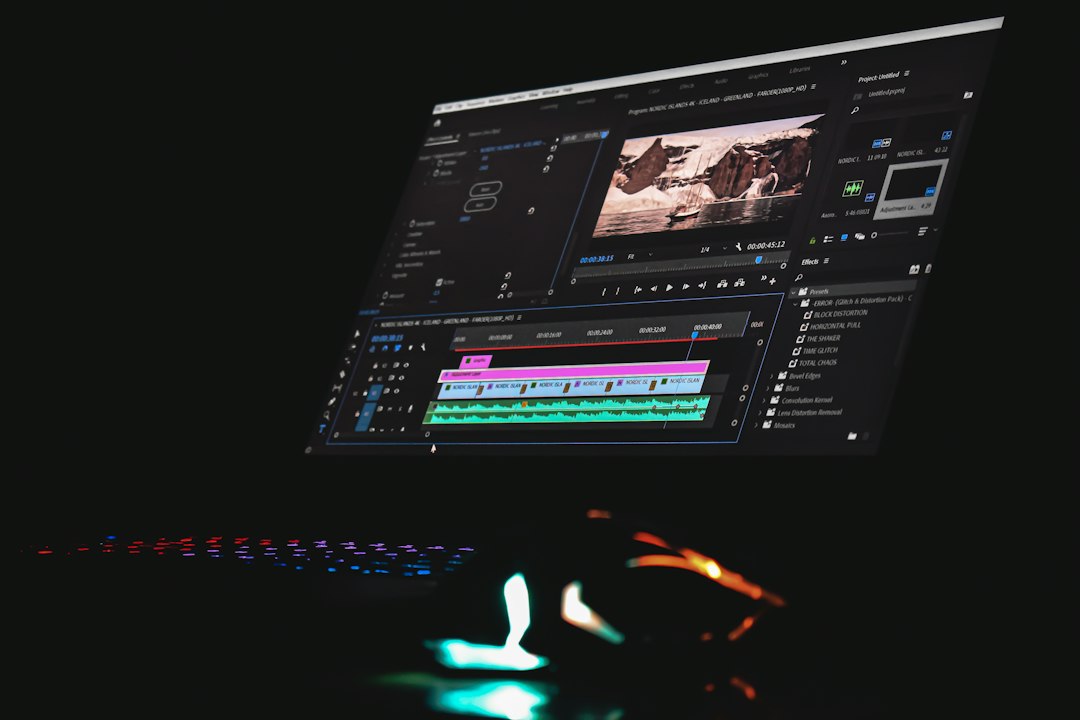

A one-hour podcast, a webinar replay or a Zoom customer interview already contains ten to twenty short videos. The work is not creating more footage, it is finding the gold inside what you have and cutting it so a stranger will watch to the end on a phone.
This guide walks through a practical workflow for repurposing long videos into Reels, TikToks and Shorts in 2026. It is written for owners and marketers who film the occasional long piece, a livestream or a customer call, and want to turn one recording into a full week of short content.
Key takeaways
- One 30 to 60 minute recording can realistically produce 6 to 12 publishable short videos if you plan the source well.
- Pick clips by idea, not by length. A strong clip has a hook, a payoff and a reason to stop scrolling.
- Reframe to 9:16 early, then cut for pace. Trim every pause, filler word and throat-clear.
- Burned-in captions, a text hook on screen and a clear first second decide whether the clip survives the feed.
- Avoid reposting identical cuts across platforms. Tweak captions, covers and pacing per channel.
Why repurposing long videos beats filming more
Most small businesses do not have a content problem, they have a cutting problem. The owner already answers the same customer questions on sales calls. The technician already explains the job on site. The founder already tells the origin story at networking events.
Repurposing long videos lets you capture that natural explanation once and feed it to platforms that reward frequency. Three Reels a week from one filmed conversation is less work than filming three separate pieces, and the delivery feels more real because it was not scripted at a camera.
It also stabilises quality. When you film cold for a Short, you are often tired, under-lit or stiff. When you cut from a 45 minute conversation, you can pick only the moments where you were sharp.
What counts as a good source recording
Not every long video repurposes well. Before you spend an afternoon cutting, check the raw material.
Good sources tend to be:
- Interviews and podcasts where someone asks you questions and you answer in full sentences.
- Customer calls or consultations (with permission) where you explain how something works.
- Webinars and workshops where you teach a defined topic with examples.
- Live demos and walkthroughs of a product, a space or a process.
- Talks and panels you have already given at events.
Weaker sources are rambling vlogs with no structure, group calls where people talk over each other, and anything filmed with the camera far away and the audio bad. You can rescue poor audio sometimes, but it is cheaper to re-record a two-minute voice note than to clean a whole bad track.
Film the long piece with shorts in mind
If you control the recording, a few small choices make the repurposing job much easier later:
- Film in 4K landscape so you have room to crop to 9:16 and still keep the subject sharp.
- Light the face from the front and avoid windows behind the speaker.
- Use a lavalier or a dedicated mic, not the laptop microphone.
- Ask the host to repeat the question before you answer, so each clip is self-contained.
- Pause for a beat before each answer. Those pauses become clean cut points.
A simple workflow for turning one recording into a week of content
Here is a workflow you can run on a single afternoon per month. It assumes one 30 to 60 minute source recording.
- Watch once at 1.5x speed with a notepad open. Do not cut yet. Write down timestamps where you felt a genuine reaction: a strong one-liner, a surprising number, a myth being busted, a step-by-step, a story.
- Pick 8 to 12 clip candidates from the notes. Each one should contain a complete thought you could watch cold without the rest of the recording.
- Rough cut each clip to between 20 and 60 seconds. Include a few extra seconds at the start and end for breathing room.
- Reframe to 9:16 with the speaker in the upper two-thirds of the frame so there is space for a text hook above and captions below.
- Tighten the edit by removing filler words, long pauses, and any sentence that is not pulling its weight.
- Add a hook, captions and a cover frame for each clip. This is where most retention is won or lost.
- Schedule across platforms with slightly different captions and covers per channel.
Two hours of focused cutting on a decent source usually produces enough to post three times a week for a month across one platform, or three times a week across two or three platforms with light variations.
How to spot a clip worth cutting
When you are scanning a recording, you are looking for self-contained ideas with tension. The simplest test: could a stranger understand this clip without any of the rest of the video, and would they feel something by the end?
Clip shapes that tend to perform:
- The contrarian take: "Everyone tells you to X. We do the opposite, and here is why."
- The specific number: "We charge Y for this because the materials alone cost Z."
- The quick how-to: three steps to fix one small problem your customer has.
- The before and after: "The client sent us this. We sent back that. Here is what changed."
- The common mistake: "Nine out of ten people do this wrong. Here is what to do instead."
- The honest confession: a small mistake you made in your business and what it taught you.
- The behind the scenes moment: a glimpse of how the work actually gets done.
Skip clips that are only funny in context, inside jokes, long setups with weak payoffs, and anything that needs a disclaimer to make sense.
A quick example: a dentist with a podcast
Say a local dentist records a 40 minute podcast with a hygienist about adult braces. A reasonable harvest might be:
- A 25 second clip: "The three questions every adult asks before braces" (how-to shape).
- A 35 second clip: "Why we do not recommend mail-order aligners for most people" (contrarian take).
- A 20 second clip: "The cost breakdown nobody shows you" (specific numbers).
- A 45 second clip: a patient story with permission (before and after).
- A 30 second clip: "The one brushing mistake we see every week" (common mistake).
Five clips from one afternoon of recording, each one answering a question real patients ask.
Editing for retention on a phone-first feed
Once you have your clip candidates, the edit is where most of the value lives. The first second has to work, then every second after has to earn the next one.
For a deeper look at the full edit, our practical guide to editing short videos for retention walks through pacing, cuts and sound design. For this workflow specifically, focus on four things.
Cut on the first word. Open with the strongest sentence in the clip, not with "so" or "yeah so basically". If the original answer was "Um, yeah, so the thing is, most people don't realise that braces...", your clip starts at "Most people don't realise that braces...".
Delete every gap. Use a waveform view and cut out silences longer than a quarter of a second. Short videos do not breathe the way long ones do.
Add a text hook in the first frame. A short on-screen line that promises the payoff, like "The mistake adults make with braces" or "What this really costs". This is on top of a spoken hook, not instead of it. For more on the spoken side, see our notes on writing hooks that stop the scroll in the first three seconds.
Burn in captions. Most viewers watch muted. Keep captions in the lower-middle, two to four words per line, high contrast. A separate deep dive on captions and subtitles that lift retention covers the formatting choices that actually move the numbers.
If a clip does not survive being watched on mute with the sound icon tapped in the last second, it will not survive the feed. Edit every clip as if the viewer never turns the sound on.
Fitting each clip to the platform
Reposting the identical file to Reels, TikTok and Shorts works, but you leave reach on the table. Small adjustments per platform tend to pay off.
Reels
- Keep clips between 20 and 60 seconds for most topics; longer only when the payoff justifies it.
- Write a caption that works as a second hook, not a summary. Ask a question or make a claim.
- Choose a clear cover frame from inside the clip and overlay the hook text so the grid tells the story.
TikTok
- You can go a bit longer here, especially on storytelling clips. 45 to 90 seconds often works.
- Lean into natural, slightly scrappier edits. Overly polished cuts can underperform.
- Reply to comments on older clips with new short videos to keep the source recording earning for weeks.
YouTube Shorts
- Shorts reward tight loops. End on a line that pulls the viewer back to the start.
- Titles matter more than on Reels or TikTok. Treat the title like a search query a real person might type.
- Link to a longer video in the description when the Short teases something you cover in full.
For service businesses especially, Shorts and TikToks can bring in buyers you would never reach through search alone. Our piece on how service businesses win on TikTok for B2B goes deeper on the kinds of clips that convert cold viewers into leads.
Avoiding the common repurposing mistakes
A few patterns waste a lot of time. Watch for these.
Cutting too long. A 90 second clip that could be 35 seconds will underperform the shorter version almost every time. If in doubt, cut the setup, not the payoff.
Keeping dead air at the end. The last two seconds matter. End on the strongest line or a visual beat, not on "so, yeah".
Posting horizontal clips with bars. Letterboxed 16:9 inside a 9:16 frame tells the algorithm this is recycled content. Reframe properly even if it means recomposing the shot.
Using the same hook for every clip. If every Reel starts with "Here's something most people don't know", viewers stop clicking. Rotate hook styles: questions, claims, numbers, confessions.
Ignoring the thumbnail or cover. On Reels and Shorts, the cover decides whether someone taps from your profile grid. A clip with a bad cover dies twice: once in the feed, once on the profile.
Forgetting the call to action. You do not need a hard sell. A quiet line like "full episode in bio" or "we do this for clients every week" keeps the clip earning without feeling like an ad.
When to hand the cutting off
Repurposing is a skill, and like any skill it rewards reps. A founder who cuts their own clips for a few weeks will develop an ear for what works in their niche. That is worth doing at least once.
But cutting is also the single most time-consuming part of a short video workflow. Owners who try to film, cut, write captions, schedule and reply to comments themselves usually burn out around month two. The clips start getting longer, slower and less interesting, because the editor is tired.
If that sounds familiar, handing the edit off is usually the first thing to outsource. You keep control of the recording and the message; someone else does the cutting, captioning and reframing. Henify's short video editing service is built around exactly this: you send a long recording, we send back a batch of ready-to-post Reels, TikToks and Shorts with hooks, captions and covers. It is the lowest-effort way to keep the pipeline full once you have proven what works.
A simple weekly rhythm
To make this stick, tie it to a calendar rather than inspiration.
- Monday: record or review the week's long source (a podcast, interview, consultation or demo).
- Tuesday: pick 8 to 12 clip candidates and write hooks for each.
- Wednesday: cut, reframe, caption and export.
- Thursday to Sunday: schedule across platforms, reply to comments, note which clips over-perform.
After four weeks, look back at the top three clips and ask what they had in common. That pattern is your new default for the next month of source recordings.
Repurposing long videos into Reels, TikToks and Shorts is not glamorous work, but it is the closest thing to a reliable content engine a small business can build in 2026. One good recording, cut well, can keep three platforms fed for a fortnight, and the fingerprints of your actual voice stay on every clip.
FAQ
How long should each short video be when repurposing from a longer recording?
Aim for the shortest length that preserves the hook and payoff. For most clips that is 20 to 45 seconds on Reels and Shorts, and 30 to 75 seconds on TikTok. Storytelling clips can run longer if the tension holds. When a clip feels slow on the second watch, it is too long.
Can I use the exact same video on Reels, TikTok and Shorts?
You can, and many businesses do. But small tweaks per platform usually lift reach: different captions, different covers, slightly different pacing, and removing any watermarks from other platforms. At a minimum, re-upload the clean file to each platform rather than cross-posting through a share link.
How many short clips can I realistically get from one hour of footage?
For a well-structured interview or podcast, six to twelve publishable clips is a reasonable target. For a loose vlog or a group call, three to five is more realistic. The quality of the source matters more than the length, which is why planning the recording pays off.
Do I need expensive editing software to repurpose long videos?
No. Most owners can do the full workflow in CapCut, Descript or the native editors inside Instagram and TikTok. Dedicated software helps when you are batching dozens of clips a week or working with a team, but it is not the bottleneck when you are starting out. The bottleneck is almost always picking the right clips.
Should I post the long video anywhere, or just the shorts?
If you record podcasts or interviews, publish the full version on YouTube or a podcast feed so the shorts can point back to it. If the source is a private call or a workshop, the shorts can stand alone. Either way, the long recording is the asset and the shorts are the distribution.