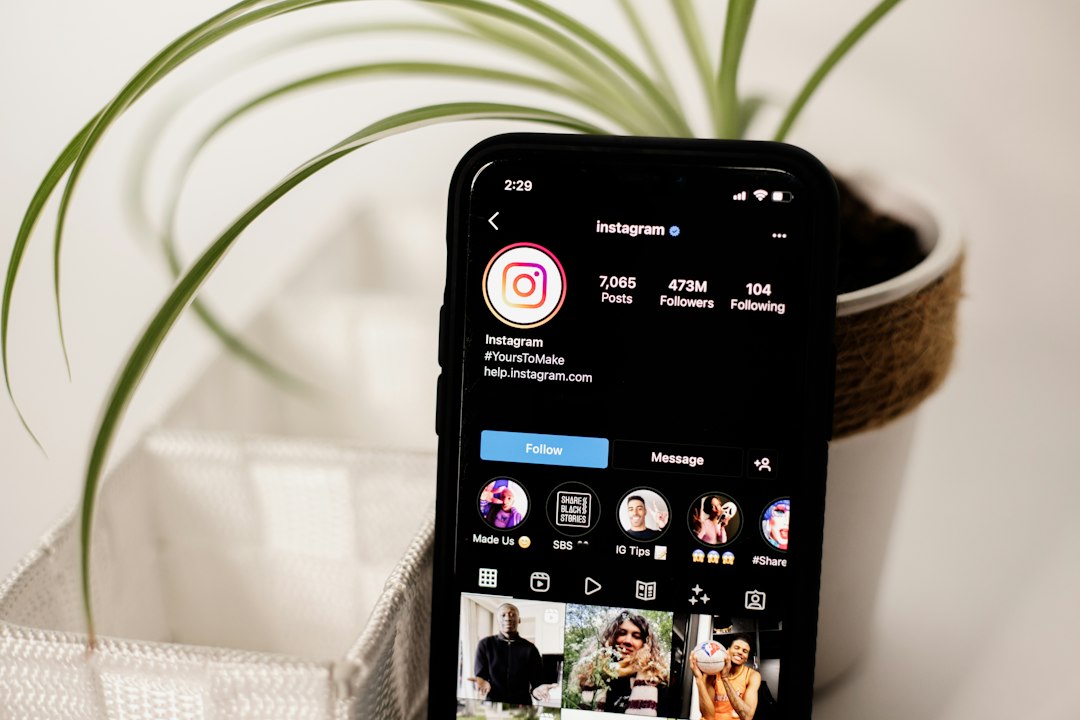

Most small-business owners do not need to post more on Instagram. They need a steadier rhythm that the algorithm can learn from and that they can actually keep up with for twelve months straight.
This guide walks through a realistic Instagram posting schedule for small businesses in 2026 — one that treats Reels, carousels and Stories as different jobs, respects your time, and gives the ranking system enough signal to push your content beyond your followers.
Key takeaways
- A workable Instagram posting schedule for small businesses in 2026 is usually 3–5 feed posts and 5–10 Stories per week, not daily grid dumps.
- Instagram ranks content per surface (Feed, Reels, Explore, Stories), so your schedule should mix formats, not pick one.
- Consistency of cadence matters more than the exact hour you post.
- Batch-produce weekly, schedule in advance, and leave live slots for trends and replies.
- Track saves, shares, sends and profile visits — not just likes — to decide what to keep posting.
Why a posting schedule beats "post when inspired"
Instagram's ranking system rewards accounts it can predict. When you post at irregular intervals — five Reels one week, silence for ten days, then a carousel — the algorithm has less data about who your content is for, and distribution dips.
A schedule also protects you from the real failure mode for small businesses: burnout. You do not quit Instagram because it stopped working. You quit because Tuesday got busy and you never started again.
A good Instagram posting schedule for small businesses is one you can run during your worst week of the quarter, not your best.
Treat your schedule as the floor, not the ceiling. If you have a launch, a trend or a good customer moment, post extra. But never drop below the baseline you committed to.
How Instagram decides what to show in 2026
Instagram ranks each surface separately. The signals differ, and that changes what you should post where.
- Feed and Explore reward saves, shares and dwell time. Carousels and strong single images do well here.
- Reels reward watch time, loops, shares and comments. Short, hook-first videos win.
- Stories reward replies, sticker taps and profile visits from close followers.
- Search rewards keyword-rich captions, alt text and consistent topic focus.
A single post format cannot cover all four surfaces. That is why the schedule below mixes formats on purpose. If you want to go deeper on any one of these, the breakdowns in our guides to Reels hooks that actually stop the scroll and carousel posts that get saved pair well with the cadence here.
What "consistent" actually means
Consistency is not "post every day." It is:
- The same number of posts per week, week after week.
- Roughly the same posting windows, so followers form a habit.
- The same handful of topics, so Instagram can classify your account.
Three Reels a week at 7pm on Mon/Wed/Fri beats seven random Reels one week and none the next.
A baseline Instagram posting schedule for small businesses
Here is a starting template that works for most local shops, service businesses and small brands. Adjust up or down based on your capacity.
Weekly baseline:
- 2 Reels (education, behind-the-scenes, or trend-based)
- 1 carousel (how-to, list, or customer story)
- 1 single image or static post (product, quote, or announcement)
- 5–10 Stories across the week (polls, questions, product in use, replies)
- 1 collab or tag post per month (creator, supplier, or neighbour business)
That is roughly four feed posts and daily-ish Stories. Fifteen minutes a day of Stories, plus one batch day for the feed, usually covers it.
A sample week
- Monday morning: Reel — short tip or demo. Post between 7–9am.
- Monday–Friday: 1–2 Stories per day, mixing behind-the-scenes and product.
- Wednesday lunchtime: Carousel — a list, a how-to, or a customer problem solved.
- Thursday evening: Reel — a trend remix or a quick "did you know."
- Saturday: Single image — product in context, event, or testimonial quote.
- Sunday: Rest, or one soft Story recapping the week.
Notice what is missing: no posting at midnight, no seven-days-a-week grind, no Reel every single day.
How to choose your actual posting times
Best-time-to-post lists online are mostly noise. Your audience is not the global average. Here is a faster way to find your real windows.
- Open Instagram Insights and look at "Most active times" for your followers.
- Pick the top two hourly windows per day.
- Post 30–60 minutes before those windows, so content is fresh when people open the app.
- Run that schedule for four weeks before changing anything.
- Compare reach and profile visits by day/time, then shift one slot at a time.
For most local businesses, the sweet spots are 7–9am, 12–1pm, and 7–9pm local time. For B2B or service accounts, Tuesday to Thursday mornings tend to outperform weekends.
A note on time zones
If your customers are local, post in your local time. If you sell online across regions, pick the time zone of your biggest customer cluster and stop trying to serve everyone. One strong audience beats three weak ones.
Batching: the only way this is sustainable
Nobody runs a small business and also opens Instagram five times a day to create content from scratch. Batch production is the difference between a schedule that survives and one that dies in month two.
A realistic batching rhythm:
- Monthly, 2–3 hours: Plan topics for the month. Draft 8–12 captions. Write Reel hooks.
- Weekly, 90 minutes: Film 3–4 Reels in one session. Shoot carousel photos. Edit.
- Daily, 10–15 minutes: Stories, replies, DMs, comments. Nothing more.
Shoot multiple outfits and backdrops in one session so Reels do not look like they were all filmed on the same afternoon. Use a scheduler (Meta Business Suite works fine) to queue feed posts in advance.
Stories are the one thing you should not batch heavily. They are meant to feel current. Film them day-of, keep them rough, and use stickers — polls, questions, quizzes — because those drive the replies Instagram rewards. If selling through Stories is new to you, the tactics in our Instagram Stories playbook for small businesses will plug straight into this cadence.
What to post in each slot
A schedule without a content plan is just empty boxes. Here is a simple content mix that keeps the algorithm fed and your audience interested.
The five-bucket rotation
Rotate your posts through these five buckets so you never have to ask "what do I post today?"
- Educate — a tip, a myth, a how-to, a mistake to avoid.
- Show — product in use, behind-the-scenes, process, workspace.
- Prove — customer story, review screenshot, before-and-after.
- Entertain — trend, humour, team moment, relatable scenario.
- Ask — poll, question, "which would you pick," opinion post.
Assign each weekly slot a bucket in advance. For example: Monday Reel = Educate, Wednesday carousel = Prove, Thursday Reel = Entertain, Saturday static = Show. Stories cover Ask and extra Show moments.
Matching format to goal
- Want reach? Reels with a strong first second and a share-worthy payoff.
- Want saves? Carousels with practical steps, checklists or comparisons.
- Want sales or DMs? Stories with product, price context and a direct sticker.
- Want trust? Carousels or single images featuring real customers.
If your profile itself is not pulling its weight when people click through, the fixes in our Instagram bio optimisation guide are worth running through before you scale posting volume.
Engagement is part of the schedule, not a bonus
Posting is half the job. The other half is the twenty minutes after you post, and the replies you send the next morning.
Build these into your calendar:
- First 30 minutes after posting: Reply to every comment. Like a few. This signals activity to the ranking system.
- Twice a day: Spend 10 minutes replying to Story reactions and DMs.
- Three times a week: Comment thoughtfully on 5–10 accounts in your niche or neighbourhood. Not emojis — actual sentences.
- Weekly: Reply to one DM conversation with a longer question. Great customer stories often come from here.
Say a local bakery posts a Reel about a new sourdough at 8am. The owner answers every comment by 9am, re-shares the best reply to Stories at lunchtime, and DMs two commenters asking if they want to pre-order. That single post is doing four jobs instead of one.
The accounts that grow in 2026 are the ones that treat every post as the start of a conversation, not the end of a task.
Measuring whether your schedule works
Give any new schedule four weeks before you judge it. Then look at the right numbers.
Metrics that matter:
- Reach per post (not followers) — is distribution growing?
- Saves and shares — is the content useful enough to keep or send?
- Profile visits from posts — is content pulling people to your bio?
- Follows from posts — are strangers converting?
- DMs and Story replies — is anyone actually talking to you?
Likes and follower count are lagging indicators. Saves, shares and profile visits are the leading ones.
A simple monthly review
Once a month, spend 30 minutes doing this:
- List your top three posts by reach, saves and profile visits.
- Write one sentence on why each worked — hook, format, topic, timing.
- List your bottom three. Note what to drop or change.
- Pick one experiment for next month: a new Reel length, a different posting time, a new carousel template.
Change one variable at a time, otherwise you will not know what moved the needle.
When to post more, and when to post less
More is not always better. Watch for these signals.
Post more when:
- Reach per post is rising week over week.
- A format is consistently outperforming (e.g., every Reel gets 3x your follower count in reach).
- You have a launch, season or event coming.
Post less — or at least differently — when:
- Reach is falling but you are posting the same amount. The format is tired, not the frequency.
- You are posting filler to hit a quota. The algorithm notices weak content and discounts the account.
- You are burning out. A two-week dip is better than a six-month quit.
If you want a steady hand on all of this without hiring in-house, Henify's Instagram growth plans cover content cadence, engagement and real audience growth without bots — useful if your week does not have a spare ten hours for the schedule above.
Common posting-schedule mistakes
A few patterns we see again and again from small-business accounts:
- Posting only when there is a promotion. The algorithm cannot learn your account from three sale posts a month.
- Reel-only strategies. Great for reach, bad for trust. Mix in carousels and Stories.
- Ignoring Stories for a week, then flooding them. Stories reward daily lightness, not binges.
- Changing the schedule every two weeks. Give it a month minimum.
- Copying a big brand's cadence. They have a team. You have a Tuesday evening.
Pick a baseline you can hold for a quarter. Review monthly. Change slowly. That is the whole method.
FAQ
How often should a small business post on Instagram in 2026?
For most small businesses, 3–5 feed posts per week plus daily Stories is the sweet spot. That is enough to give Instagram's ranking system consistent signal without burning you out. Quality and consistency matter far more than squeezing in a seventh post.
Is it better to post Reels every day or focus on quality?
Quality, almost always. One strong Reel per week will out-reach three rushed ones, because Instagram pushes content that holds watch time and gets shared. Aim for 2–3 well-planned Reels a week before you consider going daily.
Does the time of day really affect Instagram reach?
It helps, but less than people think. The first hour after posting matters because engagement signals are strongest then, so posting when your audience is awake is smart. But posting at a "bad" time with great content still beats posting at a "perfect" time with mediocre content.
Should I keep posting if engagement is low for a few weeks?
Yes, as long as you are reviewing what you post. Stopping resets the account's momentum and makes the climb harder. Instead, hold the cadence, change the content — new hooks, new formats, new topics — and give it four weeks before judging.
Can I schedule all my Instagram content in advance?
Feed posts and carousels, yes — use Meta Business Suite or a similar scheduler. Stories and trend-based Reels, no. Stories should feel live, and trending audio moves too fast to batch. A hybrid approach — scheduled feed plus daily live Stories — is the right Instagram posting schedule for small businesses that want both efficiency and relevance.