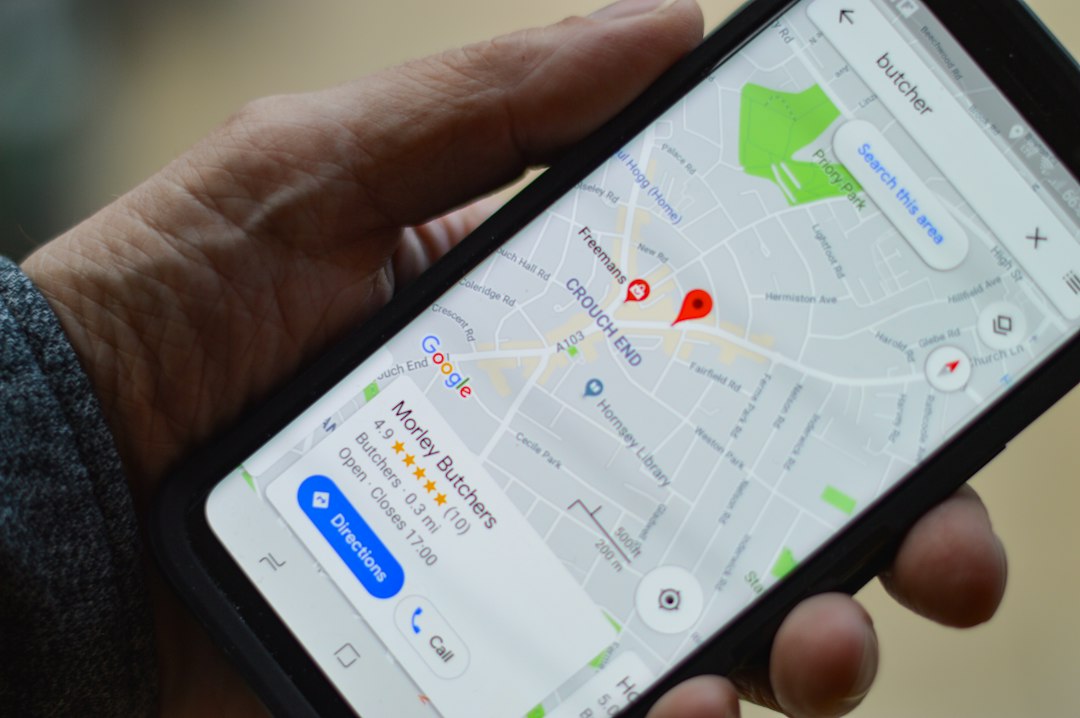

The phone ringing from a Google Maps listing is one of the highest-intent leads a local business can get. The person searching already knows what they want, they're often nearby, and they're ready to buy, book or ask a question. The problem is that most local profiles leak these calls through weak categories, missing information, slow photos and reviews that don't match what searchers actually type.
This guide shows you how to get more calls from Google Maps in 2026 without paying for ads, using changes you can make this week. It's written for owners and marketers running a single shop, a service-area business or a small multi-location brand.
Key takeaways
- Calls from Google Maps come from a mix of ranking, trust signals and friction removal; you need all three.
- Your primary category, service list and opening hours do more heavy lifting than most owners realise.
- Reviews that mention your services and locations help you rank for those same searches.
- Call tracking tells you which keywords and times of day actually produce ringing phones.
- Weekly Google posts, fresh photos and quick Q&A answers keep your profile active in the eyes of the algorithm.
Why Google Maps calls are the easiest wins in local SEO
Searches like "plumber near me", "dentist open now" or "best bakery in Shoreditch" almost always show the Maps pack above the regular blue links. When a user taps Call, they bypass your website entirely, which means a basic profile with the right details can outperform a fancy site that doesn't rank.
Three things decide whether you get the call:
- Visibility - do you appear in the local pack for the right queries?
- Choice - once visible, does your listing look more trustworthy than the two next to it?
- Ease - is calling faster than reading, scrolling or filling in a form?
Most of this article is about the second and third points, because ranking in Maps is only half the job. A top-three listing with two reviews and no photos will still lose to a number-five listing with 180 reviews and a clear service menu.
If your listing ranks but the phone doesn't ring, the problem is almost never your category choice alone. It's usually photos, reviews, hours or an outdated phone number people stopped trusting.
Fix the fundamentals on your Google Business Profile
Before chasing tactics, sweep the basics. Open your Google Business Profile dashboard and check each of these.
Business name, category and services
- Use your real, offline business name. Keyword-stuffed names ("Joe's Plumbing - Emergency Plumber London 24/7") risk suspension and often get edited by Google anyway.
- Pick the most specific primary category that matches your core service. "Italian restaurant" beats "Restaurant". "Emergency plumber" beats "Plumber" if emergencies are your main revenue.
- Add every relevant secondary category - but only ones you actually serve. Secondary categories widen the queries you rank for without diluting your primary.
- Fill out the Services section with every service you offer, and write a 2-3 sentence description for each using the words customers would use.
Phone number, hours and website
- Use a local area code where possible. Mobile-only numbers can work, but local numbers lift trust for established businesses.
- Keep hours accurate including bank holidays. A profile that says "Open" when you're closed gets a bad review and a lost call.
- Add special hours for Christmas, Easter and anything else that disrupts your week. Google rewards profiles that keep this updated.
- Link to the most relevant page on your site, not just the homepage. A plumber should send Maps traffic to a services page, not a blog.
Short name, attributes and booking links
- Set a short name so you can share a clean profile link in emails and SMS follow-ups.
- Tick accurate attributes (wheelchair accessible, free Wi-Fi, outdoor seating, women-owned, etc.). Several of these now appear as filters inside Maps.
- If you take appointments, connect a booking provider so a "Book" button appears alongside "Call".
Use categories and services the way searchers actually search
The primary category is the single biggest ranking lever on Google Business Profile. Many owners pick it once and never revisit it.
Run this quick test:
- In an incognito window, search for the three queries you most want to be called for.
- Note the top three Maps results.
- Use a free tool like GMBspy or Pleper to see which primary category each one uses.
- If two or three of them share a category you don't have, you've just found your primary.
Say a local bakery wants calls for "custom birthday cakes". If the top results all use Cake shop as their primary and the bakery is still using Bakery, switching could lift them into the pack for cake queries - without losing bread searches, which can go to the secondary category.
Write service descriptions for humans and search
For each service, aim for a short paragraph that:
- States what the service is in plain language.
- Mentions the neighbourhood, city or service area.
- Includes a related phrase a customer might type.
- Ends with a next step ("Call for a same-day quote").
Don't copy the same paragraph across every service. Google can see repetition, and so can customers.
Win reviews that drive more Google Maps calls
Reviews influence both ranking and the decision to tap Call instead of a competitor. The volume matters, but the content matters almost as much in 2026.
Ask at the moment of maximum happiness
- Hand the customer a short card with a QR code that opens your review link.
- Send an SMS 30 minutes after the job is finished: "Thanks for choosing us today. If we did a good job, a quick Google review helps a lot: [link]."
- Train anyone client-facing to ask out loud when a customer says something positive.
Don't ask every customer on the same day, and never offer discounts for reviews - that violates Google's policy and risks removal.
Encourage keyword-rich reviews, naturally
Reviews that mention your service and location help you rank for those exact terms. You can't dictate what a customer writes, but you can prompt it:
- "If you have a minute, we'd love a quick note on what you came in for - it really helps other people find us."
- Include a sentence in follow-up emails: "Mentioning the service you booked helps other locals know what we do best."
Reply to every review within 48 hours
Replies are a public signal that you care. For positive reviews, thank the person by name and reference what they came in for. For negative ones, stay calm, apologise where fair, and move the conversation offline with a phone number. Future customers read your replies before they call.
Add photos, videos and Google posts that make people tap Call
Profiles with regularly added media get more views and more actions. You don't need a professional shoot - you need a steady stream of real, relevant images.
A simple weekly photo routine
- One photo of your team or someone at work.
- One photo of a finished job, product or dish.
- One photo of your premises, van or signage.
- One short vertical video (15-30 seconds) showing a before/after or a quick tip.
Geotag isn't necessary - Google uses your profile location - but make sure photos are well-lit and uncluttered. Avoid stock images; Google often detects and demotes them.
Google posts that prompt action
Google posts appear in your Maps listing and can include a call-to-action button. Post at least once a week.
Good post ideas for driving calls:
- A current offer with a deadline ("Boiler service, this month only").
- A reminder tied to the season ("Book your gutter clean before autumn").
- A quick FAQ ("Do we service your postcode? Call to check").
- A new product, dish or service.
Use the Call now button where it fits. Keep text under 150 words and front-load the benefit.
Local SEO signals outside your profile
Google doesn't rank your Maps listing in isolation. It looks at signals across the web to decide how trustworthy and relevant you are.
NAP consistency and citations
Your Name, Address and Phone number should match exactly across:
- Your website footer and contact page.
- Industry directories (Yell, Thomson Local, Checkatrade, etc.).
- Social profiles on Facebook, LinkedIn, Instagram.
- Any association or chamber-of-commerce listings.
Inconsistent details - old addresses, different phone formats, missing suite numbers - confuse Google and dilute ranking.
Local backlinks
A handful of relevant local links often beats dozens of generic ones. Easy wins:
- Sponsor a local school event, charity run or sports team and ask for a link.
- Join your local chamber of commerce or BID.
- Offer a quote or short article to a local news site or neighbourhood blog.
- Partner with complementary businesses (a wedding photographer linking to a florist, for example).
On-page signals that support Maps
Your website still matters. Each important service or location should have its own page, with:
- The city or neighbourhood in the H1 and title tag.
- Embedded Google map and clickable phone number.
- A short FAQ addressing common local questions.
- Schema markup for LocalBusiness with matching NAP.
If you're a service-area business covering several towns, build a distinct page for each area with genuinely unique content - not spun duplicates.
Track which calls come from Google Maps, and act on the data
You can't improve what you don't measure. Most local businesses have no idea which calls started on Maps, which started on their site, and which came from referrals.
Set up call tracking without breaking NAP
Traditional call tracking swaps your number, which breaks NAP consistency. The safer approach in 2026:
- Use Google's built-in call history (available in supported regions) to see calls that started from your profile.
- For deeper tracking, use a dynamic number insertion (DNI) tool that keeps your main number on Google and your website visible, but swaps it only for paid-ad traffic.
- Record call duration and route short "wrong number" calls back into your workflow to spot targeting problems.
Review your Maps performance monthly
Inside Google Business Profile, check:
- Searches breakdown: direct (people who typed your name) vs. discovery (people who found you by category or service). Discovery growth is the clearest sign your local SEO is working.
- Calls by day and hour: staff your phones to match. Missed calls go straight to competitors.
- Direction requests: a proxy for walk-in intent.
- Photo views vs. competitors: if yours is far lower, post more media.
Set a 30-minute slot in your calendar on the first of each month. Small, consistent adjustments compound faster than big quarterly overhauls.
A 7-day plan to get more calls from Google Maps this week
Day 1 - Audit your profile: name, primary category, hours, phone, website link, services, attributes. Fix anything wrong.
Day 2 - Research competitor categories and update your primary and secondary categories based on what top-ranking competitors use.
Day 3 - Write or rewrite service descriptions. Add every service you offer with a clear, locally worded paragraph.
Day 4 - Upload 10 fresh photos and one short video. Replace any stock images.
Day 5 - Build a review-request process: QR card, SMS template, email follow-up. Ask your five happiest recent customers today.
Day 6 - Write four Google posts and schedule them for the next four weeks. Add a Call now button to each.
Day 7 - Set up call tracking, review your insights, and check NAP consistency on your five most important directories.
If you want help running this continuously - optimising the profile, posting weekly, chasing reviews and improving the local pages on your site - Henify's team handles SEO and Google Business Profile work for local businesses, with real humans doing the research and outreach rather than automated spam.
The businesses getting the most calls from Google Maps in 2026 aren't the ones with the biggest budgets. They're the ones who treat their profile like a living shopfront: updated weekly, stocked with fresh photos, staffed with quick review replies, and pointed at the exact services and areas they want the phone to ring for.
FAQ
How long does it take to see more calls from Google Maps after optimising?
Most businesses see a measurable lift in profile views within 2-4 weeks and in calls within 4-8 weeks, assuming they're already verified and not suspended. Competitive categories in large cities can take longer. Consistency - weekly posts, steady review flow, fresh photos - matters more than any single change.
Does posting on Google Business Profile really help ranking?
Posts aren't a direct ranking factor the way categories or reviews are, but they keep your profile active, give searchers more reasons to tap through, and often lift engagement metrics that do influence ranking. They also take up more real estate on your listing, which pushes competitors down the screen.
Should I use a tracking phone number on my Google Business Profile?
It's safer to keep your main local number as the primary on your profile and use a tracking number as the secondary number, or rely on Google's built-in call reporting. Swapping the main number for a tracked one can break NAP consistency across the web and hurt ranking.
What's more important, reviews or photos?
Reviews have a stronger direct impact on ranking and conversion, but photos influence how long people stay on your profile and how likely they are to tap Call. The practical answer: don't trade one for the other - run both as weekly habits.
Can I rank in Google Maps without a physical storefront?
Yes. Service-area businesses (plumbers, cleaners, mobile mechanics) can rank in Maps by setting a hidden address and defining the areas they serve. You still need a real address for verification, but it won't appear publicly on your listing.